Chapter 32: Selling with confidence
Buying products from stores and websites and reselling them on Amazon is a long-established, Amazon-permitted way to sell. Every product you sell must be genuine and in the condition you list it in, and good habits make that easy to show. This chapter covers the few habits that matter.
1. Proof of purchase: your records
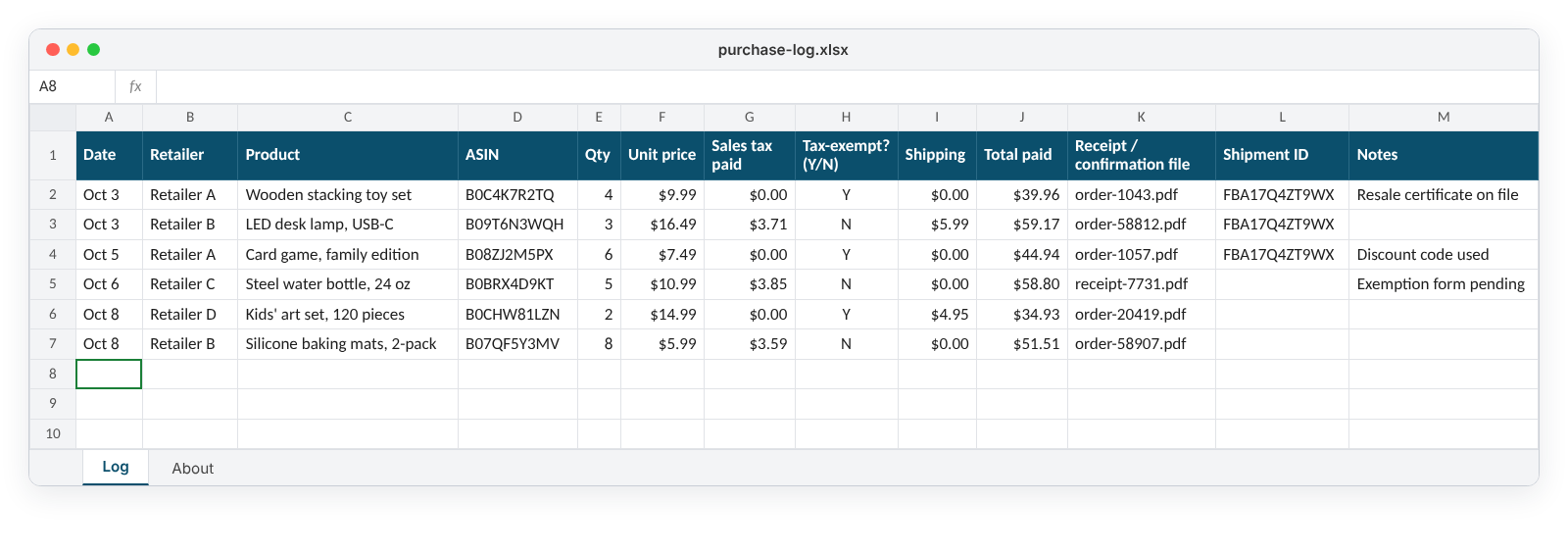
Each receipt or order confirmation shows where a product came from, what you paid and when, and they're also the records your accountant needs. Buy in your business name and address (matching Seller Central), pay by card or bank transfer, save every confirmation as a PDF, and keep a purchase log (Chapter 34).
2. Choose brands sensibly
Most brands are resold on Amazon by many sellers, and you'll see that in the seller count.
- Favour brands with several FBA sellers. Many sellers on a listing is a good sign that the brand is widely resold.
- Use ArbiSource's potential IP issue warnings. Results can show a warning for potential intellectual property (IP) issues, and you can exclude them with a filter. Leaving these out is a sensible default while you're learning.
- Be cautious with brands that sell mainly through their own store, or where the listing has only one or two sellers.
- Check for Transparency. Some brands protect their products with Transparency codes: a unique code on every unit. If a product uses Transparency, every unit you send must carry a valid code. Never cover or remove it with your own labels. If you can't be sure the units you'd buy have valid codes, choose another product.
- Sell items in the condition you list. "New" means brand new, unused and unopened, in the original packaging with everything included (Condition guidelines).
3. Keep your account healthy
Your Account Health Rating in Seller Central runs from 0 to 1,000: Healthy is 200 or more, At Risk 100 to 199, and 99 or lower is eligible for deactivation. New accounts start at 200. Points are lost for policy issues and regained when you address them. To stay healthy:
- Look at Account Health once a week, as part of your weekly checks.
- Read every performance notification and deal with it in good time, most serious first.
- Keep your emergency contact phone number up to date (under Notification preferences), so Amazon can reach you if needed.
Source: Account Health Rating program policy.
4. If Amazon asks for documents
Occasionally Amazon may ask a seller to show where a product came from, for example after a customer or brand complaint. It's a routine check, and a calm, well-organized reply is what's needed.
- Read the notification carefully. Note which ASINs it covers, what's being asked for and any deadline.
- Gather your records for those ASINs: receipts, order confirmations and invoices. This is where your purchase log pays off.
- Check them against Amazon's requirements. Amazon's invoice requirements ask for documents that:
- are dated within the past 365 days;
- cover the quantity you've sold and have in stock for each ASIN;
- identify the products clearly, for example by name or model number;
- include the supplier's contact details: name, phone number, address and website;
- are PDFs or images (.pdf, .jpg, .png or .gif), not editable files such as spreadsheets.
- Send them exactly as they are. You can hide prices and highlight the relevant products, but every document must be authentic and unaltered.
- Reply through the link in the notification, with a short, polite note listing what you've attached.
If you can't provide what's asked for, you can choose to stop selling that product.