Chapter 40: Payouts, bookkeeping and weekly checks
This chapter covers when Amazon pays you, what to keep for your records, and a short weekly routine that catches problems early.
Payout timing (US)
Amazon pays out on a regular cycle:
- Funds available: under Amazon's standard reserve policy, money from a sale becomes available 7 days after the order is delivered (often called DD+7). Amazon can hold funds longer if it sees a risk.
- Settlement period: the standard cycle is typically 14 days. When a period closes, your available balance is sent to your bank.
- Requesting a payment: where the option is shown, you can also request your available balance from the Payments dashboard, up to once every 24 hours. Requesting a payment closes the current settlement period and starts a new one.
- To your bank: allow about 3 to 5 business days for the money to arrive.
So a product you buy today may not turn into cash in the bank for several weeks. Plan your buying around that lag (Chapter 29).
Check the Payments dashboard in Seller Central for your own dates and balances.
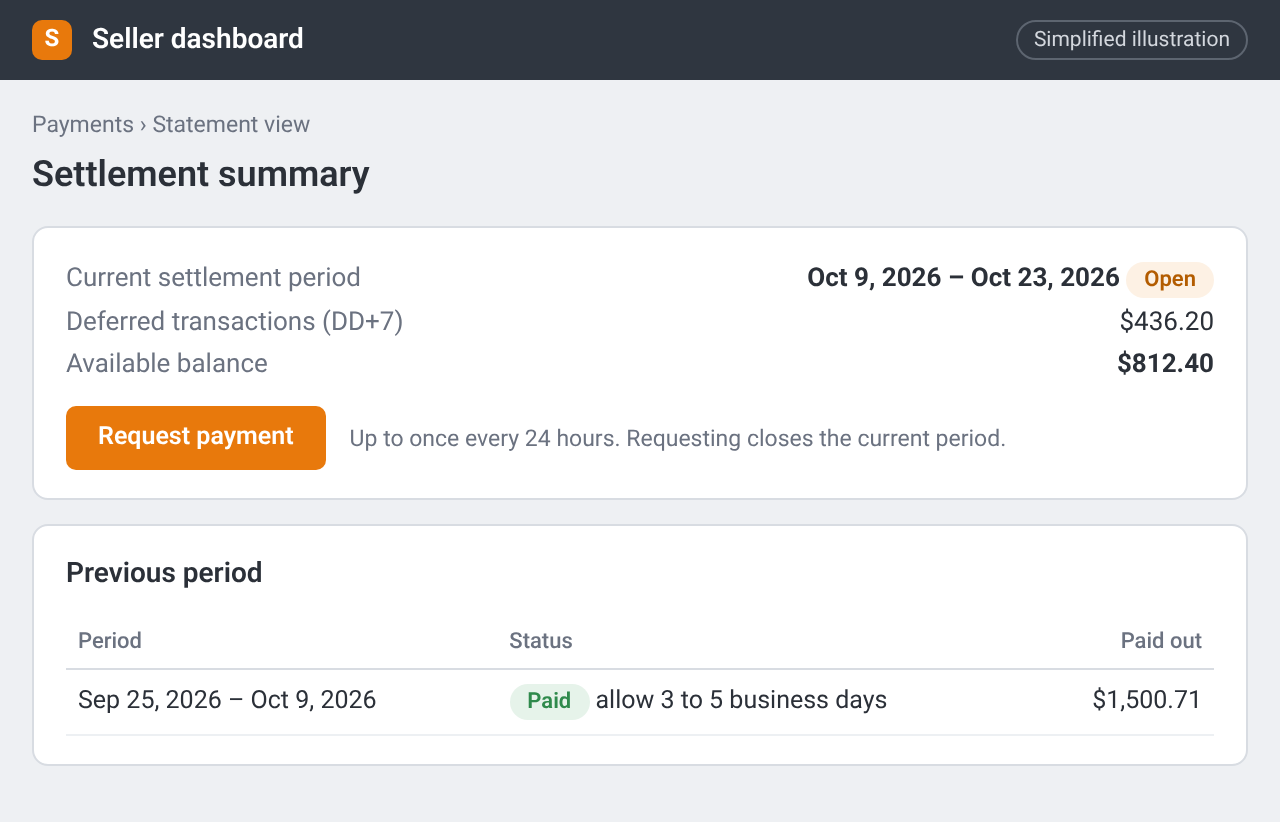
Payments summary: the open period with deferred and available amounts and the Request payment button, and the previous period marked as paid. Simplified illustration – the real screen may look different.
Bookkeeping without the overwhelm
You don't need a complex system on day one. Keep:
- Purchase records: receipts, order confirmations, resale certificates and your purchase log (Chapter 34 and Chapter 36).
- Amazon settlement reports: download them from Seller Central after each payout.
- A simple sales log: date, ASIN, quantity sold, sale price, fees, and the cost from your purchase log, so you can see your real profit.
- Your tax forms: keep any Form 1099-K Amazon sends you with the rest of your records. Amazon collects and pays sales tax on most marketplace sales for you; your CPA will tell you whether your home state expects anything more (Chapter 25.2).
Share these folders with your CPA or bookkeeper. They'll tell you what else they need for your federal and state returns. Don't guess tax rules from a handbook.
If you use SellerToolKit or similar profit software, enter costs from your purchase log or ArbiSource Sourcing List, including any sales tax you paid, so the numbers match what you really spent.
A weekly check (15 to 20 minutes)
Pick a fixed time each week:
- Account Health: still Healthy? Any new notifications? (Chapter 34)
- Stranded and inactive listings: fix or close anything stuck.
- Inbound shipments: Receiving or Closed? Compare what was received with what you sent, and open a reimbursement case for missing or damaged units if needed (Chapter 38).
- Returns: any patterns (wrong item, damage) that point to a prep or match problem?
- Aged and slow stock: anything heading for aged-inventory surcharges? Lower the price or create a removal order while you still can.
- ArbiSource: auto refresh still on for your Sourcing List (the refresh icon shows Disable Auto Refresh once it's on), Alerts still relevant, Restriction Tracker emails skimmed (Chapter 5 and Chapter 33).
Write one line in a notes file: what you fixed, and one thing to watch next week.
Checklist
- I know my settlement rhythm and roughly when cash reaches my bank
- I download each settlement report
- My purchase log and sales log can be matched by ASIN
- I keep tax forms and resale certificates with my records
- I run the weekly check on a fixed day