Chapter 39: Pricing and repricing
What you'll learn: how to set a selling price that protects your profit, how to compete for the Buy Box without racing to the bottom, and when automated pricing is worth switching on.
Start from the numbers you already trust
When you bought the product, you checked profit at the average sale price, not just today's spike (Chapter 29 and Chapter 20). That average is still your anchor once the stock is live:
- Set a floor at, or a little above, the price that still meets your minimum profit and ROI after every fee and any sales tax you paid.
- Set a ceiling near the recent high only if the chart shows the price has held there. Don't count on a one-day spike.
- Watch the price bands. US fulfillment fees change at $10 and $50 (Chapter 27.1). A small price change that moves you across a band changes the fee too, so check the numbers at the new price before you make it.
ArbiSource still helps after you buy: keep the product on your Sourcing List with auto refresh switched on (the refresh icon), and set Alerts (Pro plan and above) for when the Amazon or retailer price moves.
Competing for the Buy Box
Most sales go to the seller in the Buy Box (Chapter 32). Useful habits:
- Stay at or very close to the competitive price, not far below it.
- FBA stock in New condition on a healthy account is already a strong offer.
- Don't undercut by cents in a race. If another seller drops below your floor, let them have the Buy Box until the price recovers, or remove the listing if the product no longer works.
Amazon's Automate Pricing
Seller Central includes a free Automate Pricing tool. You set rules (match the Buy Box, stay a set amount below it, and so on) with a minimum and maximum price. The minimum is your floor; never leave it blank.
Start simple:
- One rule that matches the Buy Box, within your minimum and maximum.
- Apply it to a few SKUs you know well.
- After a week, check the sales and the prices you actually got before you widen it.
Third-party repricers exist for larger catalogs. They're optional; many sellers do fine with Amazon's tool until they have dozens of active SKUs.
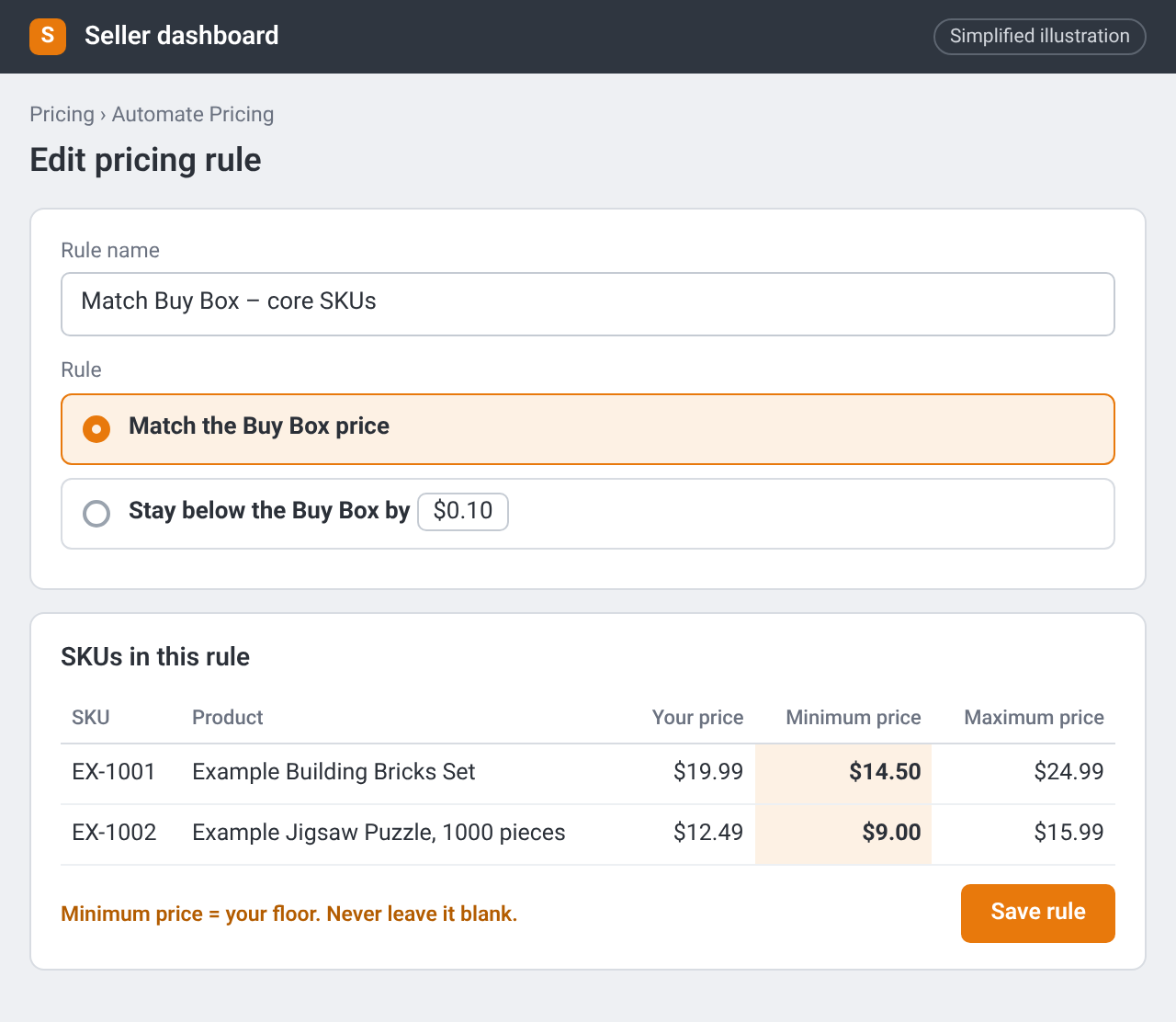
An Automate Pricing rule with a minimum and maximum price for each SKU. The minimum is your floor. Simplified illustration – the real screen may look different.
When to change your mind
- The price has fallen and stays below your floor: stop replenishing, and consider a removal order if aged-inventory fees are a risk (Chapter 27.2).
- Steady sales at or above your floor: keep going, and add the product to Replenishables (Chapter 41).
- You only win the Buy Box by going below your floor: in hindsight, that lead didn't pass Money. Pass on it next time.
Checklist
- Every live SKU has a written floor based on profit at the average price
- I'm not racing below my floor to win the Buy Box
- If I use Automate Pricing, every rule has a minimum and maximum