Chapter 3.2: Registering and getting verified
This page covers what to have ready, how registration and identity verification work, and what the INFORM Act means for you as you grow, so your application goes through the first time.
Amazon's own walkthrough is here: Amazon US registration guide.
Have these ready before you start
Everyone
- A valid, government-issued photo ID (such as a passport or driver's license)
- A proof of address, such as a bank or credit card statement, dated within the last 180 days, in the same name and at the same address you'll enter
- A credit or debit card that can be charged (for your monthly plan)
- A bank account for your payouts, in your name or your business's name
- A phone number
- Your SSN or EIN for the tax interview
LLCs, additionally
- The LLC's exact legal name and address, as on your state filing
- The LLC's EIN
Enter your name, address and business details exactly as they appear on your documents. Small mismatches (a missing apartment number, "St" instead of "Street", a middle initial on one document but not the other) cause most verification delays.
The registration steps
Amazon's sign-up runs in five stages:
- Business information. Your business location and type. If you're a sole proprietor, choose the option for an individual (no business registration needed). If you've formed an LLC, enter its details.
- Seller information. The primary contact person (you), with details matching your ID.
- Billing. The card for your monthly plan, and your bank account for payouts.
- Store and product information. Your store name (it must be unique; you can change it later) and a few questions about what you plan to sell.
- Identity verification. Upload your ID and proof of address, then confirm who you are, either with a photo of your face and ID or on a video call with an Amazon associate.
You'll also complete the tax interview (see 2.2) and set up two-step verification to protect your account.
Approval times vary. Some accounts are approved quickly; others wait longer, especially when Amazon asks for more information.
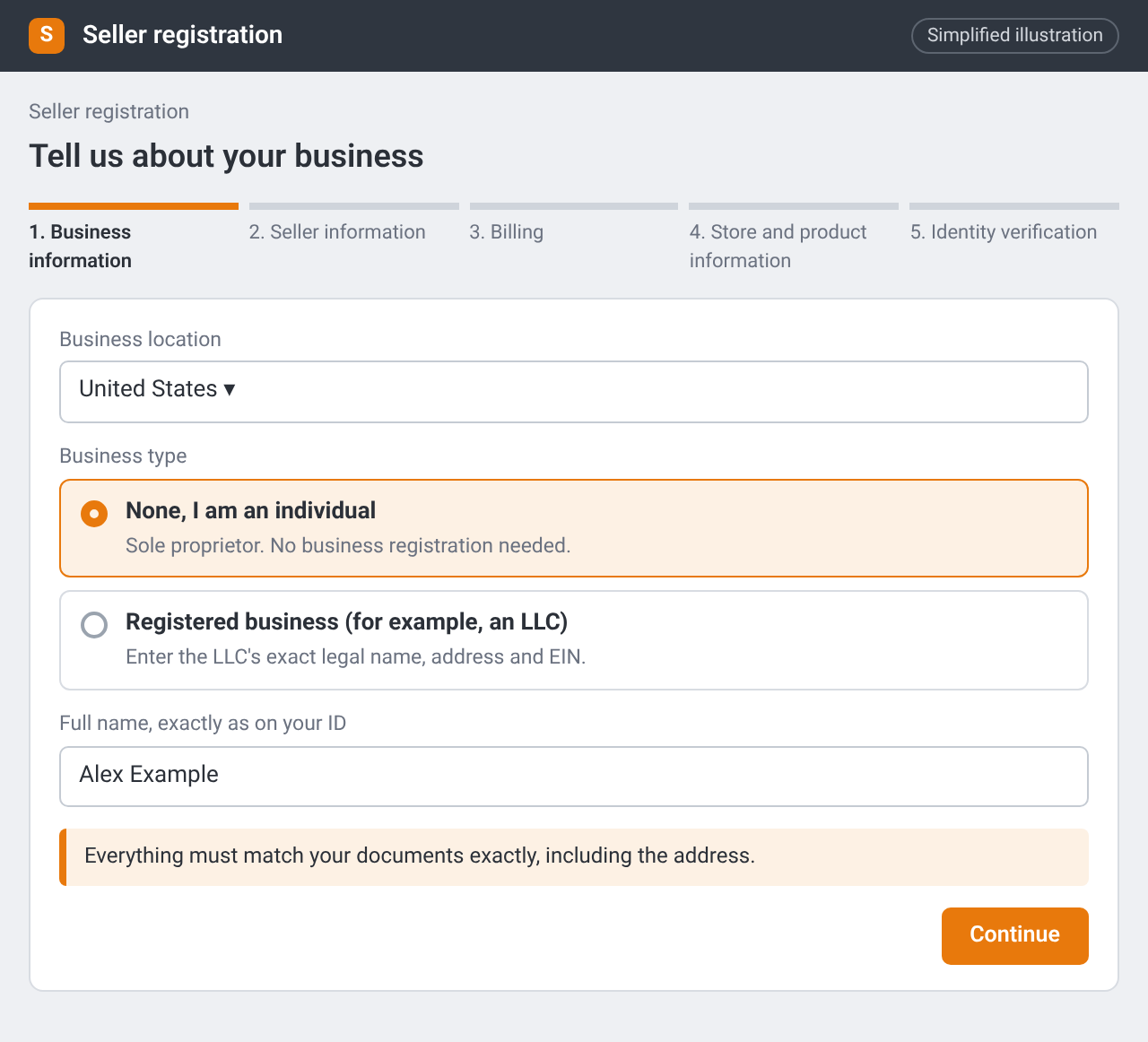
Seller registration: choosing your business type (“None, I am an individual” or a registered business such as an LLC). Simplified illustration – the real screen may look different.
the identity-verification step in Seller Central (photo or video call option), with personal details blurred.
Tips for a smooth verification
- Use documents in the same name and at the same address you entered.
- Have your original ID to hand, not a photocopy.
- For a video call, join somewhere quiet, with good light and a stable connection.
- If Amazon asks for more information, reply promptly with exactly what's requested.
The INFORM Act: what happens as you grow
The INFORM Consumers Act is a US law that requires online marketplaces to verify and, in some cases, display information about their busier sellers. It applies to every seller on Amazon.com, not just new ones. FTC: what sellers need to know about the INFORM Consumers Act
- High-volume sellers (200 or more sales and $5,000 or more in gross revenue in any 12-month period) must have their bank account, tax ID, email and phone verified by Amazon, and re-certify their details at least once a year.
- Sellers above $20,000 a year in gross revenue must also have their name, physical address and contact details shown to buyers.
- Respond promptly. If Amazon asks you to verify or re-certify and you don't respond within 10 days, it can suspend your selling and hold your payouts until you do.
if you register using your home address, that address may eventually be visible to buyers once your sales grow. Some sellers use a business address, or set up an LLC with its own address, for this reason. Decide what you're comfortable with before you register, since changing details later means re-verification.
Checklist
- Documents gathered and checked against each other
- Registration completed with matching details
- Tax interview completed with my SSN or EIN
- Identity verification done (photo or video call)
- I know what the INFORM Act will ask of me as I grow, and which address I'm using