Chapter 16: The SellerAmp and ArbiSource workflow
ArbiSource finds leads at scale; SellerAmp SAS analyzes one product in depth. Connecting them saves a lot of clicks.
From ArbiSource to SellerAmp: the SAS button
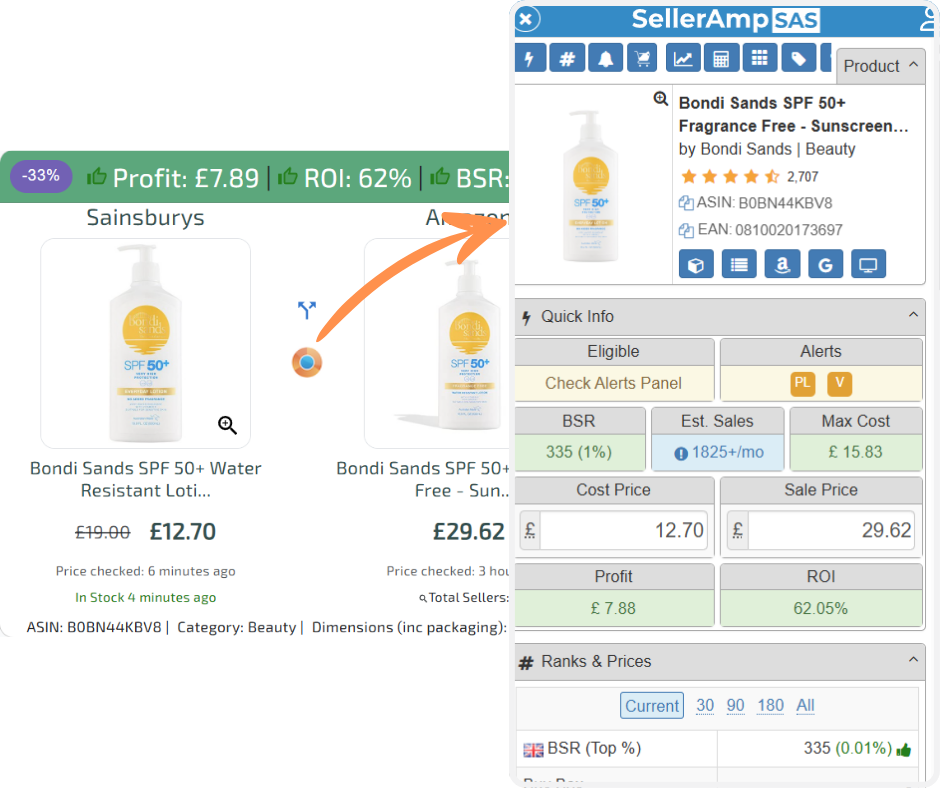
Each result panel has a SAS button. With a SellerAmp subscription and its Chrome extension, it opens the product in SellerAmp, so you can check eligibility, sales and price history there without searching again. In Price Drops → Unmatched, SellerAmp's search can also help you find the Amazon listing for a product ArbiSource couldn't match (Chapter 5).
From SellerAmp to ArbiSource: reverse search inside SAS
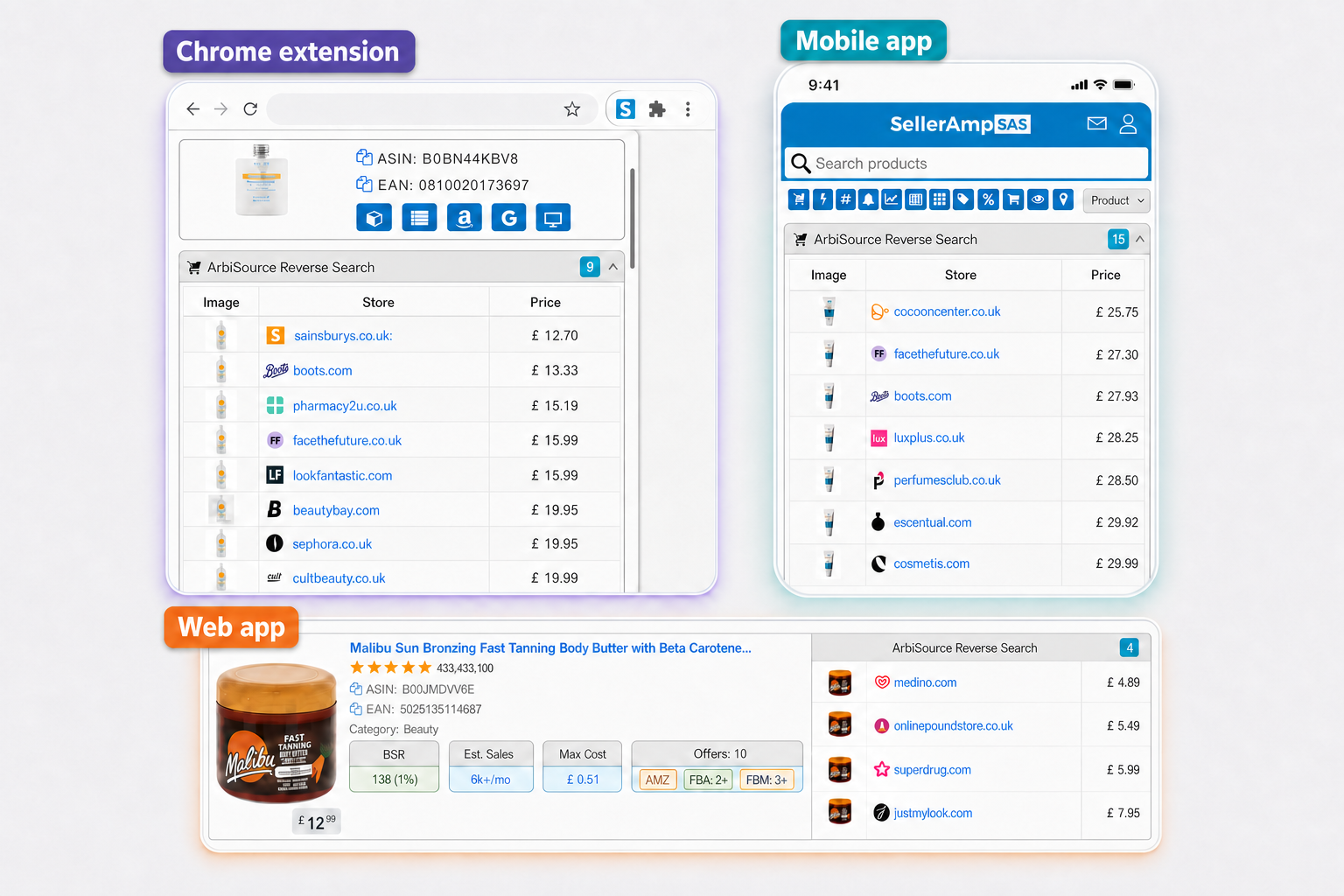
SellerAmp can show ArbiSource's reverse-search results: the retailers where a product can be bought.
- In ArbiSource, go to Account → API Keys and copy the SAS Key from the SellerAmp card.
- In SellerAmp, go to Settings, scroll to ArbiSource Reverse Search and click Configure.
- Paste the key, check Display ArbiSource Reverse Search on SAS Search Results and save.
It works in the SellerAmp Chrome extension, the web app and the mobile app.
A simple online routine
- Find in the Vault, Price Drops or a scan.
- Clean up with Check Restrictions (Chapter 8).
- Shortlist to your Sourcing List.
- Check in depth with the SAS button and the Lead Check (Part 3).
In-store sourcing (retail arbitrage)
Store clearance can be a good source of stock, and SellerAmp and ArbiSource work well together in the aisles.
- Scan a barcode with the SellerAmp mobile app to see the Amazon numbers for the product, so you can judge it on the spot before it goes in your cart.
- With ArbiSource Reverse Search set up (above), the same scan also shows ArbiSource's reverse-search results: the online retailers where the product can be bought. If it's cheaper online, the shelf price isn't the best deal, and you may be able to buy more stock online instead.
- Use what you learn online. Brands and products that keep appearing in your ArbiSource results are worth looking out for in stores, where in-store clearance can go deeper than online prices.
- Keep your receipts. For applications that need invoices, see Chapter 31.
Brand lists
Export a brand's ASINs from SellerAmp and reverse-search them in ArbiSource (Chapter 12).