Chapter 2: Signing up and connecting Amazon
Step by step
- Start your free trial at arbisource.com.
- Enter your email address carefully. This becomes your login and how support identifies you. Check it twice.
- Leave the email box unticked. The sign-up form has a box labelled "I do NOT want to receive any emails from ArbiSource, including a trial reminder." Leave it unticked so your trial reminders, getting-started tips and scan notifications reach you.
- Choose the UK marketplace. Under Select your marketplace, click the UK flag. You can't change this yourself later.
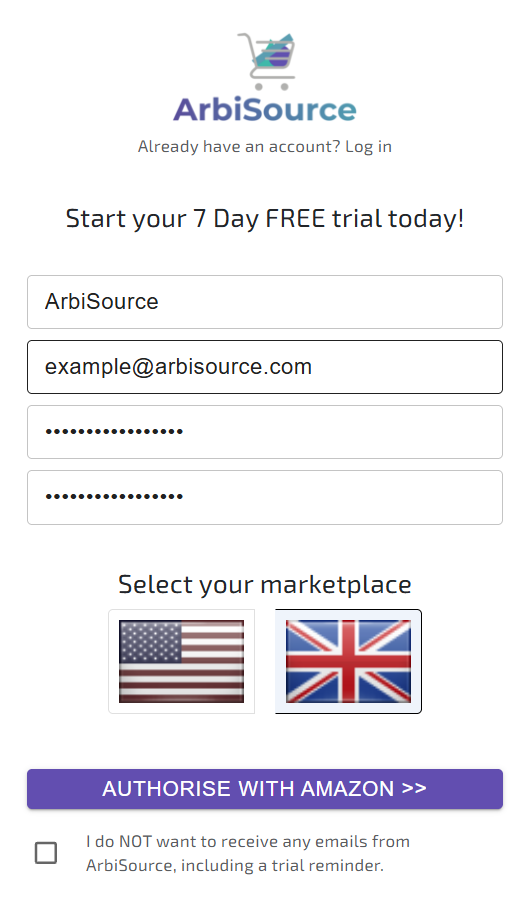
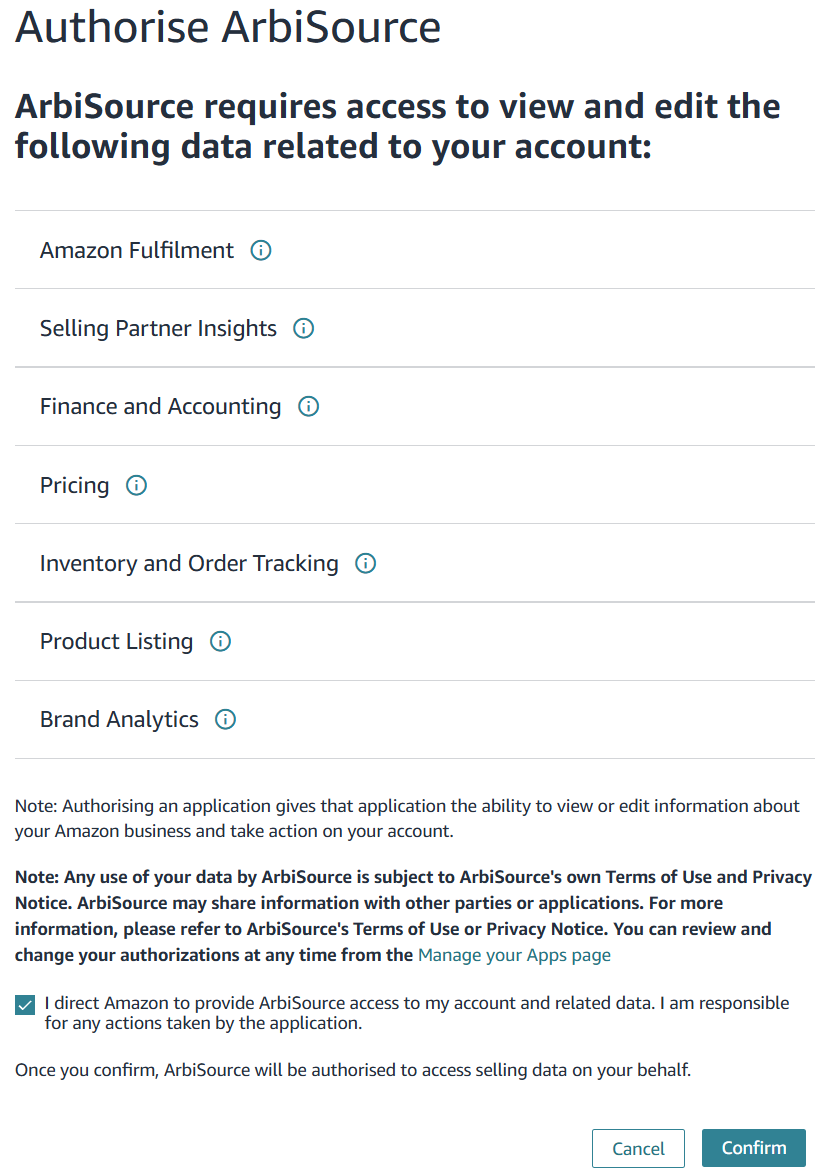
- Authorise ArbiSource with Amazon. Click AUTHORISE WITH AMAZON >>. You'll be sent to Amazon to sign in to your Amazon.co.uk seller account. On Amazon's Authorise ArbiSource page, make sure the box starting "I direct Amazon to provide ArbiSource access to my account and related data" is ticked, then click Confirm. ArbiSource only uses this connection to read data, such as live pricing and your restrictions. It never lists, buys or changes anything in your account.
- Choose your plan and billing (monthly or annual), then add your payment card. You won't be charged until your free trial ends.
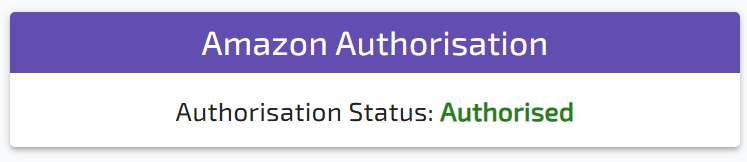
- Check the connection. On the Account page, the Amazon Authorisation panel should show Authorisation Status: Authorised.
- Take the welcome tour. Once you're in, you're taken to the ArbiSource welcome guide, which shows every feature with a short video guide. You can come back to it any time at app.arbisource.com/welcome.
If something doesn't look right
| What you see | What it means | What to do |
|---|---|---|
| "This seller account is already associated with another account" | Your Amazon account is linked to a different ArbiSource account, usually an old one or one created with a mistyped email | Don't create another account. Email support from your current address with your Seller ID, and they'll reconnect you to the right account |
| Nothing in the Vault, or ArbiSource looks empty | Usually the first sync hasn't finished, or your filters are hiding everything | Log out and back in, give it a little time, and check your filters (see Chapter 3) |
| Restriction checks or other Amazon-linked features don't work yet | With a brand-new seller account, Amazon can take up to 5 days to switch on access for third-party software. It can also happen if Seller Central needs something from you | If your account is new, give it up to 5 days. Otherwise, complete any outstanding tasks in Seller Central, then re-authorise from your Account page |
| You signed up to the US marketplace by mistake | The marketplace is fixed at sign-up | Email support. They can move you to the UK and you'll then re-authorise with your UK seller account |
Need to change your email address, or connect a different Amazon seller account? You can't unlink an Amazon account yourself. Email support and they'll do it for you, then you can re-authorise with the new account.