Chapter 34: Placing your first order
Ready to order?
You've already done the hard work in the Lead Check (Part 3). Before you place the order, take one last look:
- Confirm the match. Check pack size, variation, edition and the retailer's product page against the Amazon listing. Multipacks and "similar but not the same" products are the usual traps (Chapter 19).
- Confirm you can sell it. Run a restriction check if you haven't already (Chapter 31).
- Confirm the numbers. Base your decision on the average sell price, not a short spike (Chapter 27).
- Decide the quantity. For a Test-buy, start with a small number of units: enough to learn the process and see how the product sells, without tying up too much cash.
Discount codes and cashback
When you run a Store Scan you can enter a Discount percentage for a retailer, such as a code you'll use (Chapter 6). Scan prices don't include cashback: the CASHBACK/COUPONS button lists the cashback sites available for each retailer, and many results show a cashback button where a site is available.
Use them carefully:
- Only enter savings you'll actually get. If a code needs a minimum spend, excludes some brands or is first-order only, allow for that.
- Cashback can be delayed, declined or capped. Keep a note of what you're expecting so you can see when it arrives (Chapter 27).
How to place the order
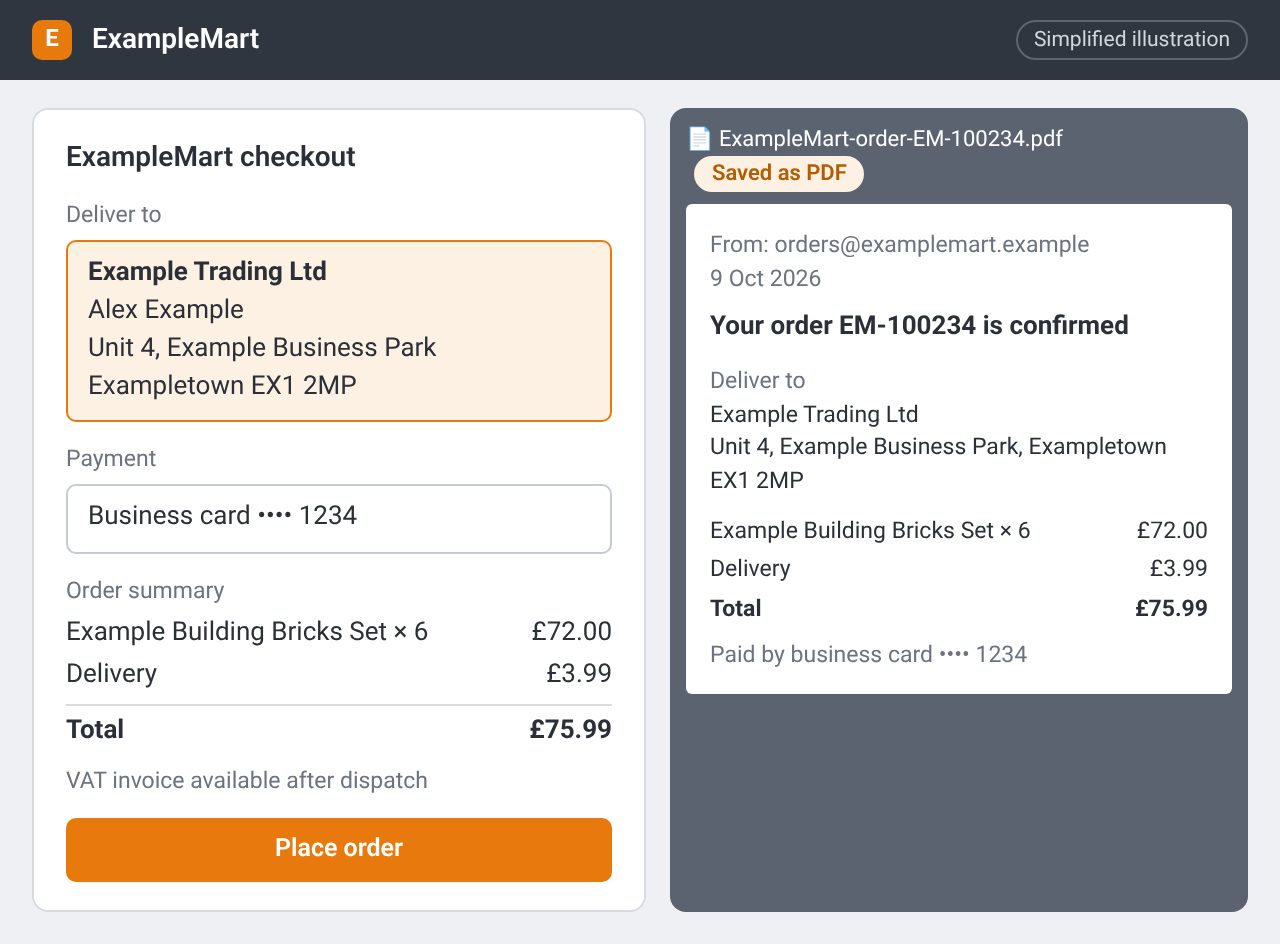
- Buy in your business name, and use your business address for delivery. Match the name and address in Seller Central (Chapter 32).
- Pay by card or bank transfer, so your statement backs up the purchase.
- Choose delivery that gets the stock to you promptly. Factor the delivery charge into what you paid.
- Save the order confirmation as a PDF the moment it arrives, and photograph any till receipt the same day.
- Ask for a VAT invoice where the retailer offers one. It's a useful extra record.
Log it straight away
Add the purchase to your purchase log while the details are fresh (Chapter 32). A template is in Downloads.
Its columns are date, retailer, product, ASIN, quantity, price paid and saved file.
When the stock later goes into a shipment, add the shipment ID to the same row. That link makes any later question about the product quick to answer.
From ArbiSource: keep the lead on your Sourcing List so prices stay refreshed, and export the list as a CSV when you want an offline copy (exports are included from the Pro plan).